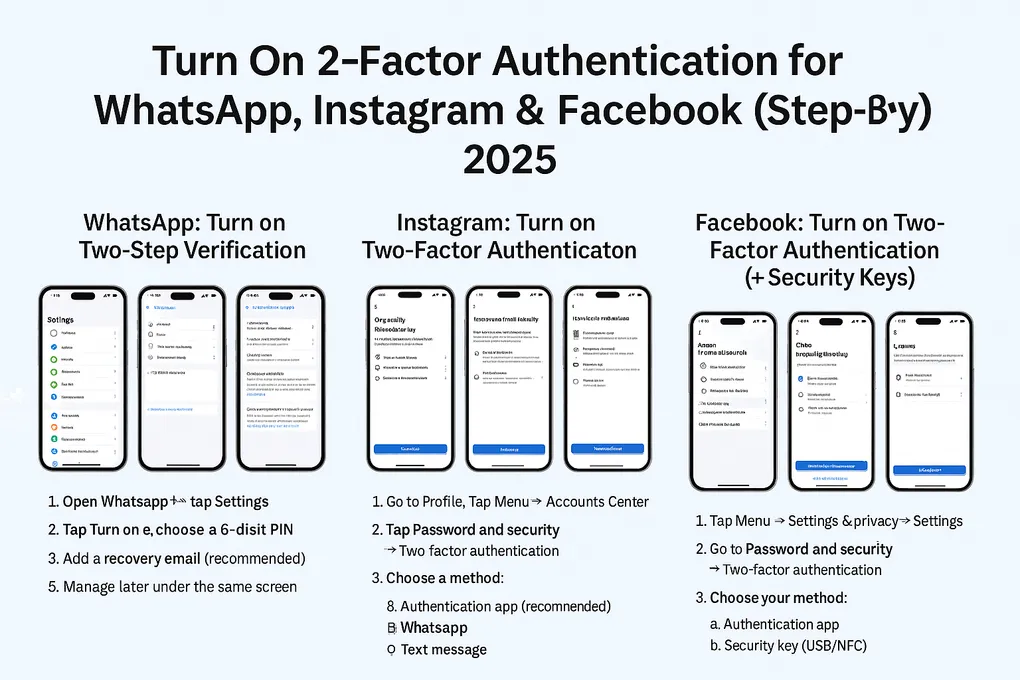
Turn On 2-Factor Authentication for WhatsApp, Instagram & Facebook (Step-by-Step, 2025)
Use the collapsible sections below. Each step includes an image slot you can fill with your own screenshots.
Tip: Prefer an authenticator app over SMS whenever possible.
Quick Start
- WhatsApp → Settings → Account → Two-step verification → Turn on → set 6-digit PIN → add email for recovery.
- Instagram → Profile → Menu → Accounts Center → Password and security → Two-factor authentication → choose Authentication app (or WhatsApp/SMS) → save backup codes.
- Facebook → Menu → Settings & privacy → Settings → Accounts Center → Password and security → Two-factor authentication → pick Authentication app, Text message, or Security key → save recovery methods.
(Press on Open to see article)
WhatsApp: Turn on Two-Step Verification
Open (Android & iPhone)
-
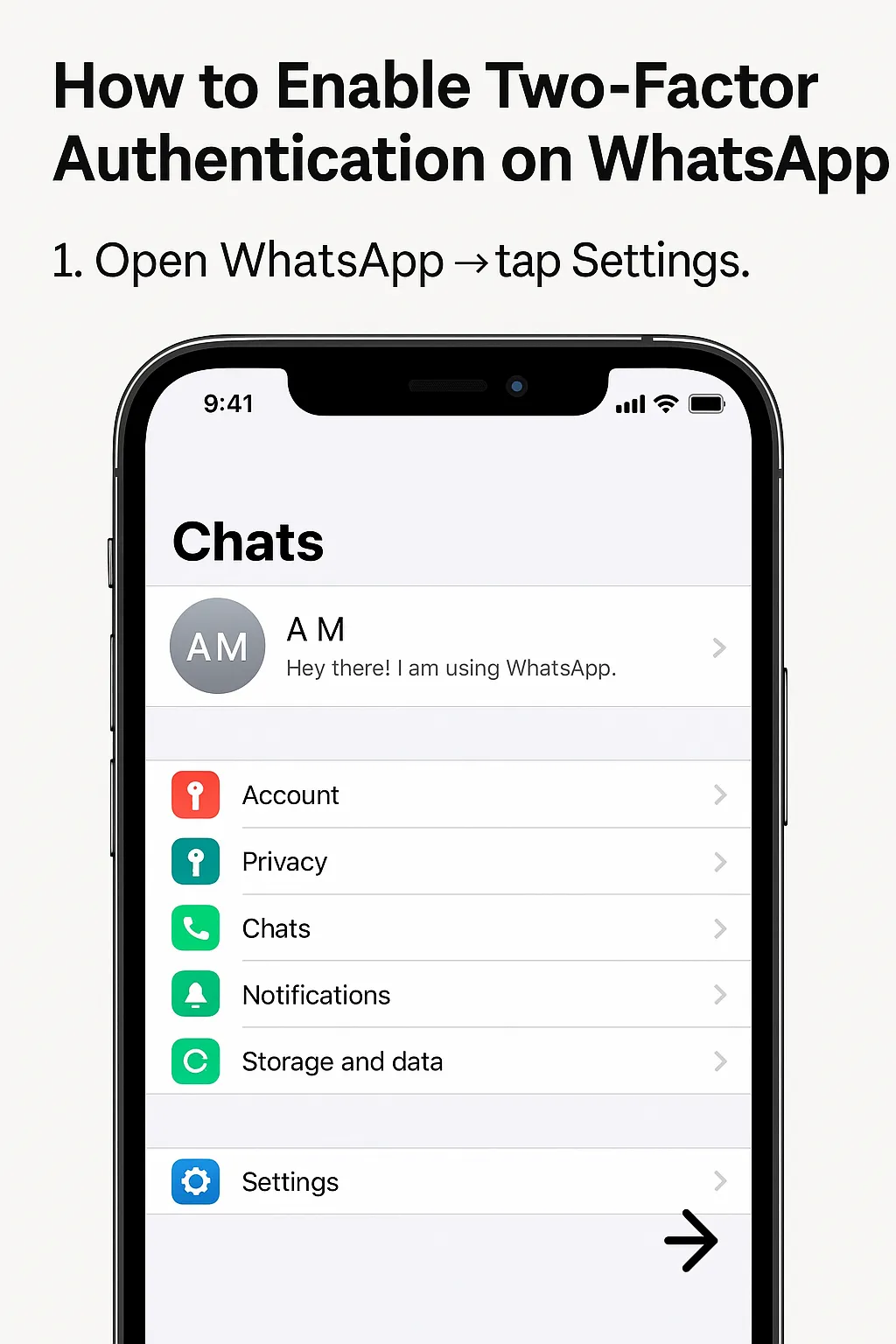
Open WhatsApp → tap Settings.
-
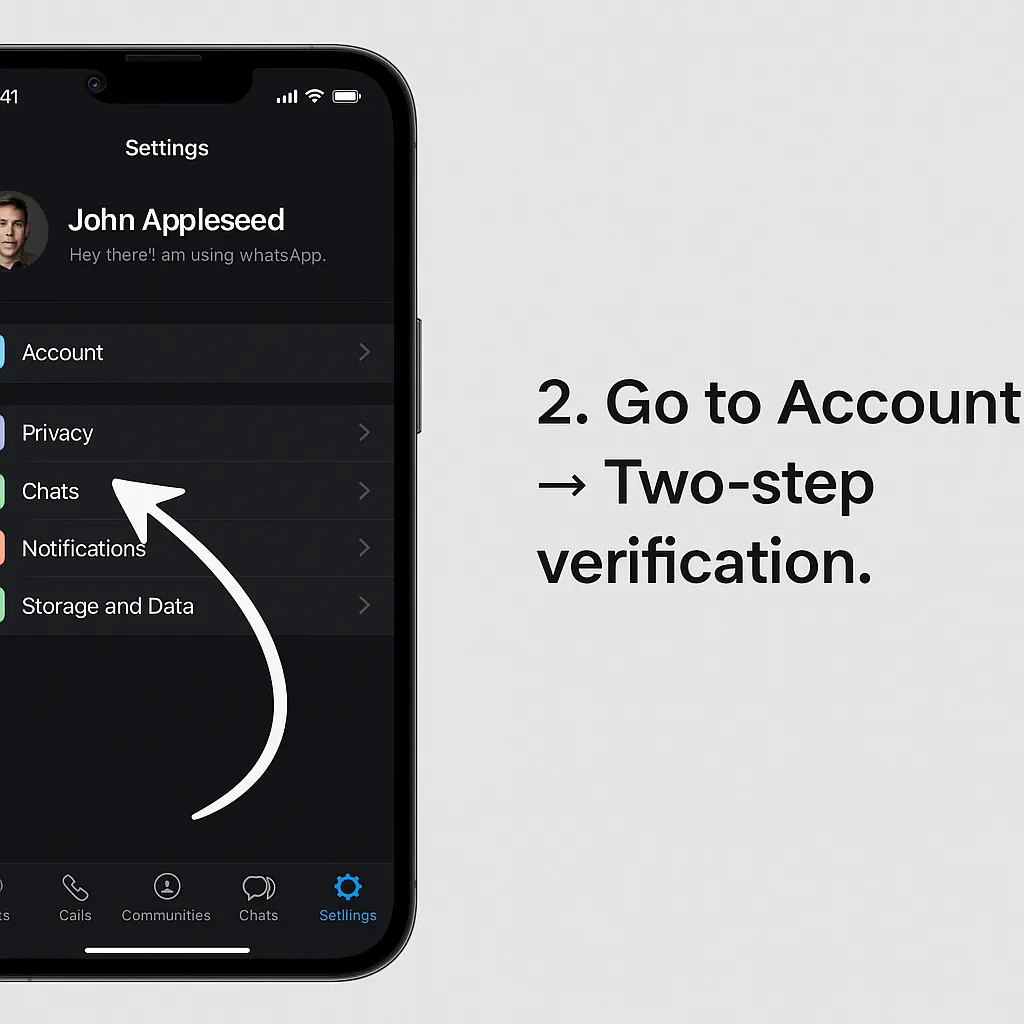
Go to Account → Two-step verification.
-
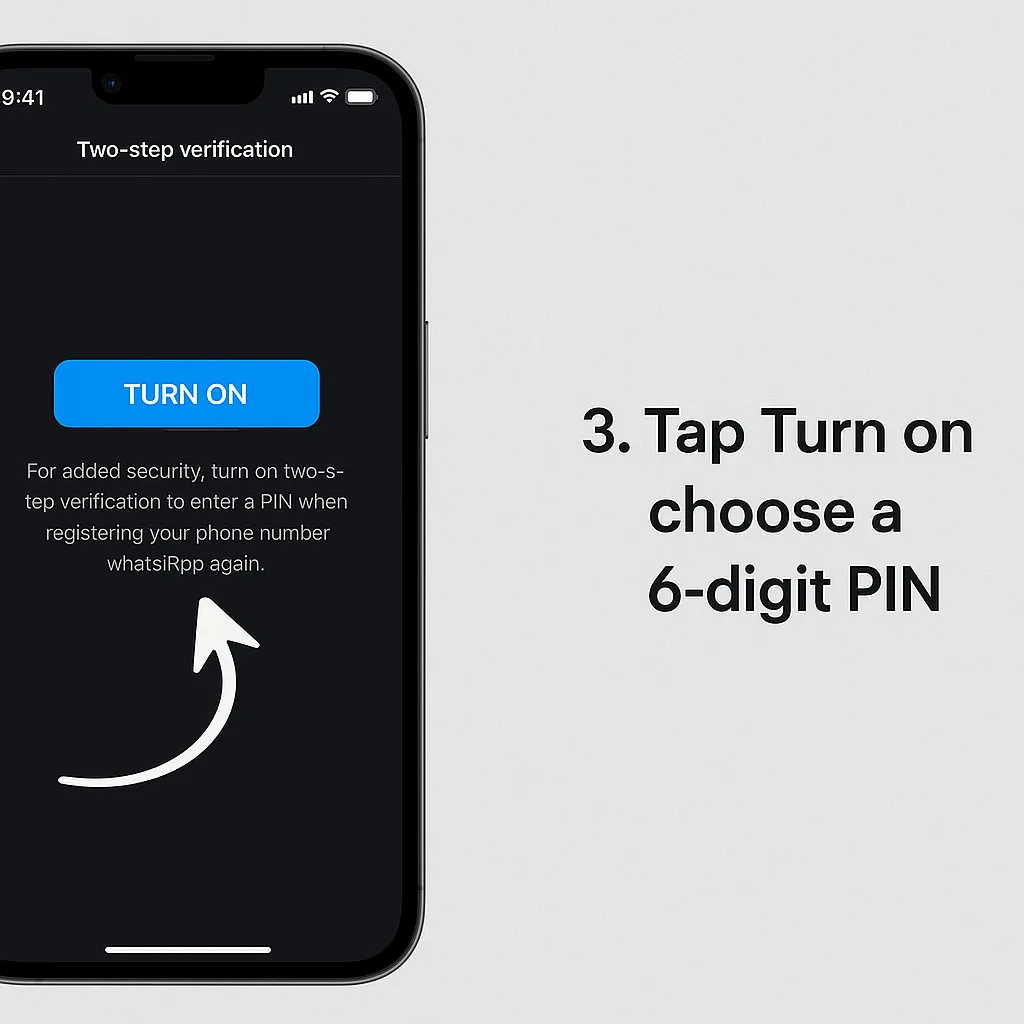
Tap Turn on → choose a 6-digit PIN.
-
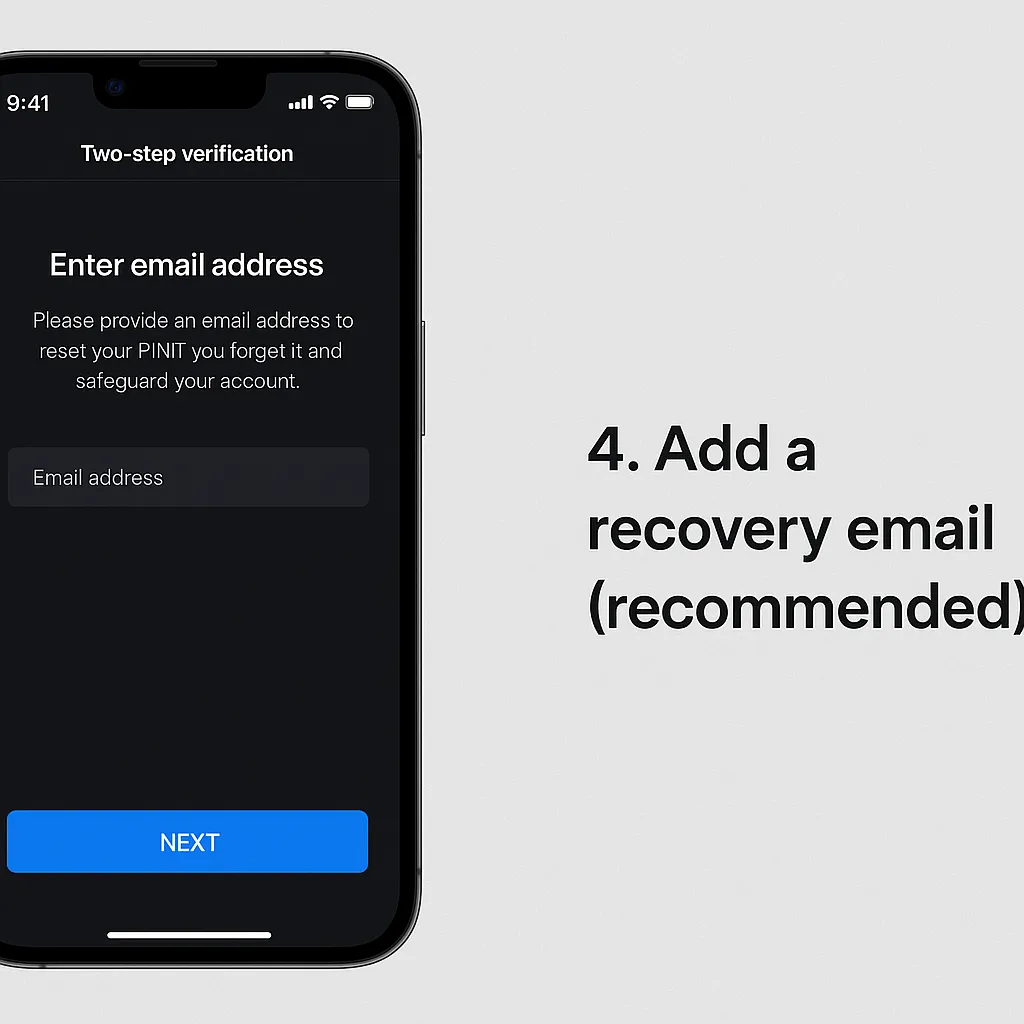
Add a recovery email (recommended).
-
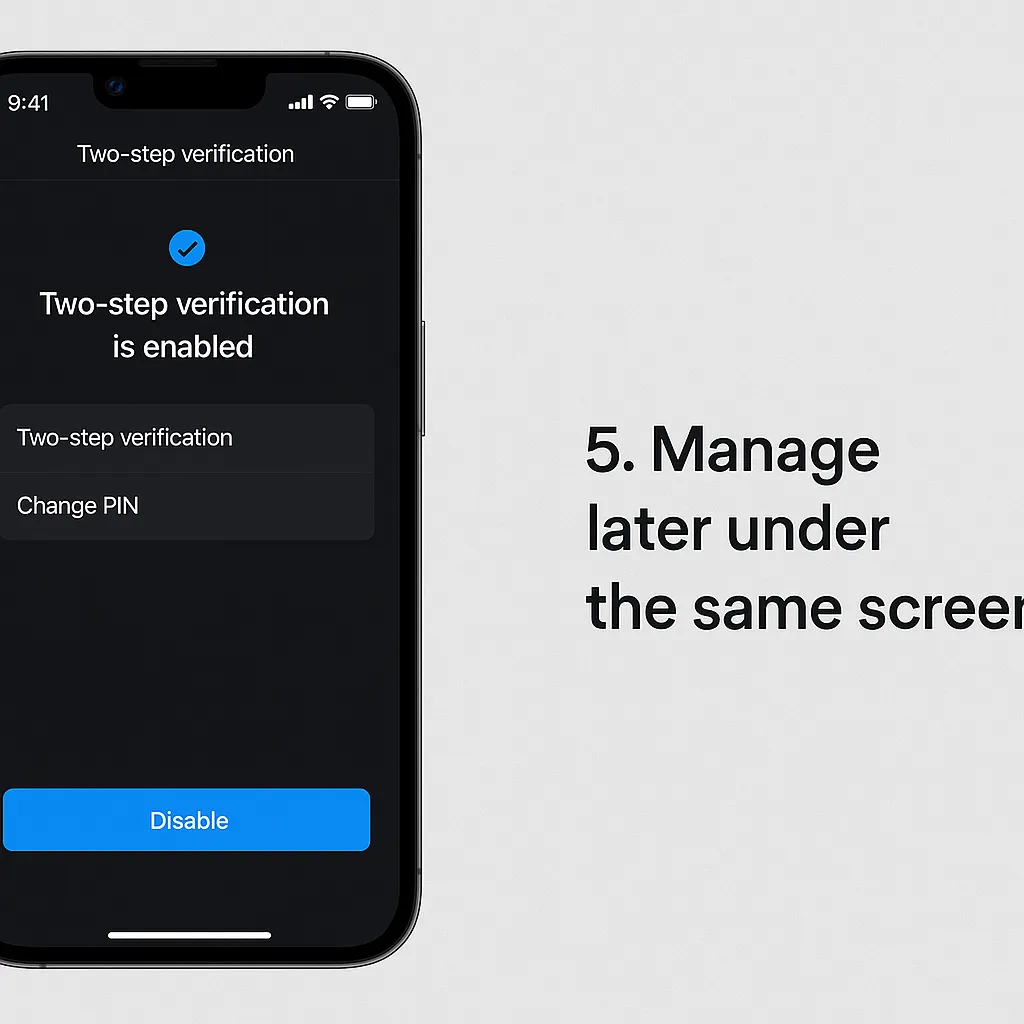
Manage later under the same screen.
Instagram: Turn on Two-Factor Authentication
Open (Android, iPhone & Web)
-
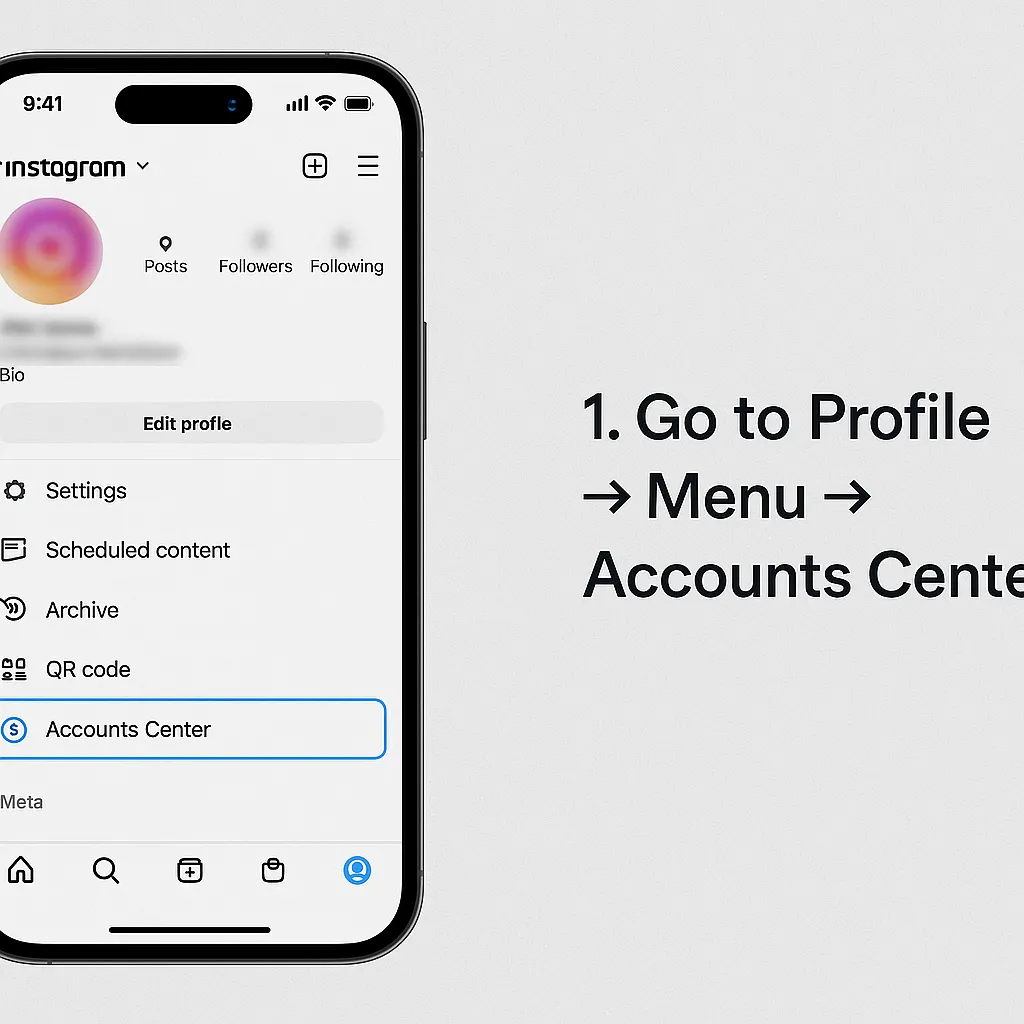
Go to Profile → Menu → Accounts Center.
-
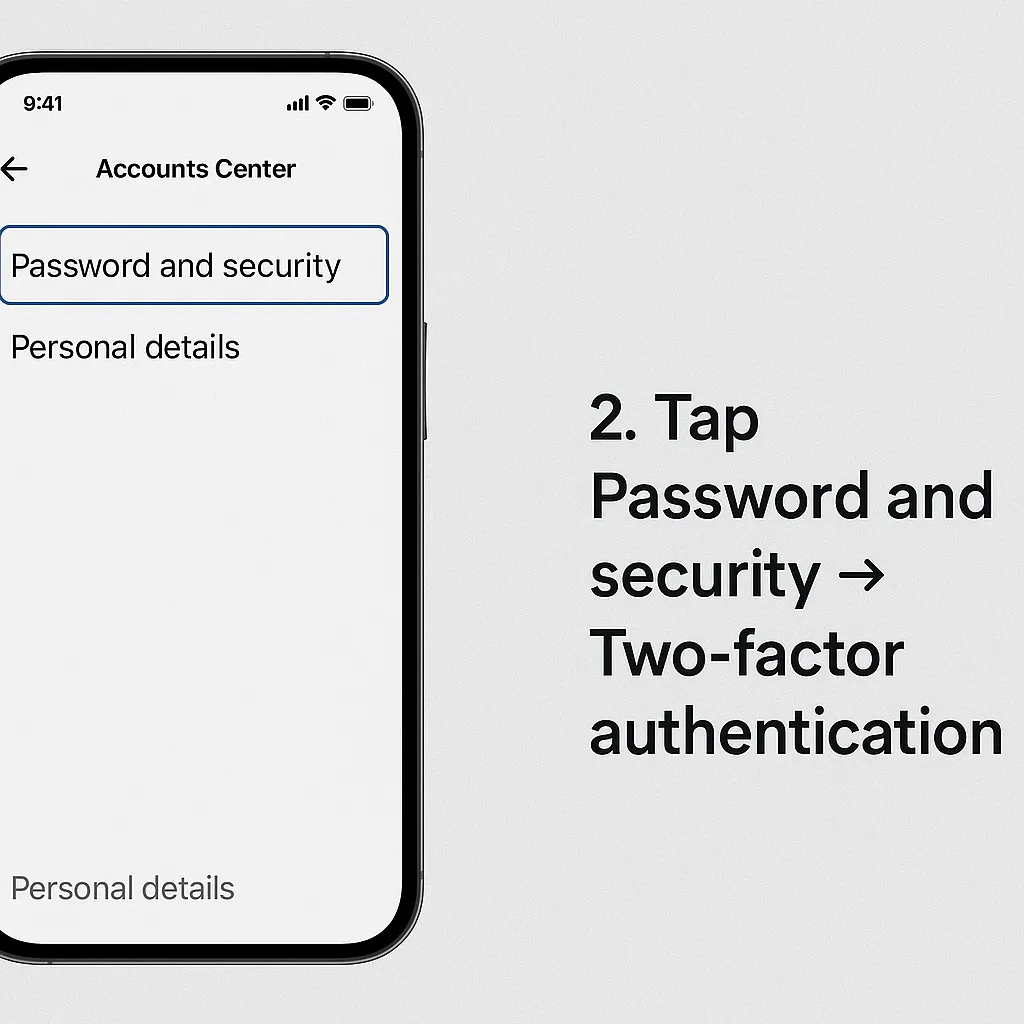
Tap Password and security → Two-factor authentication.
-
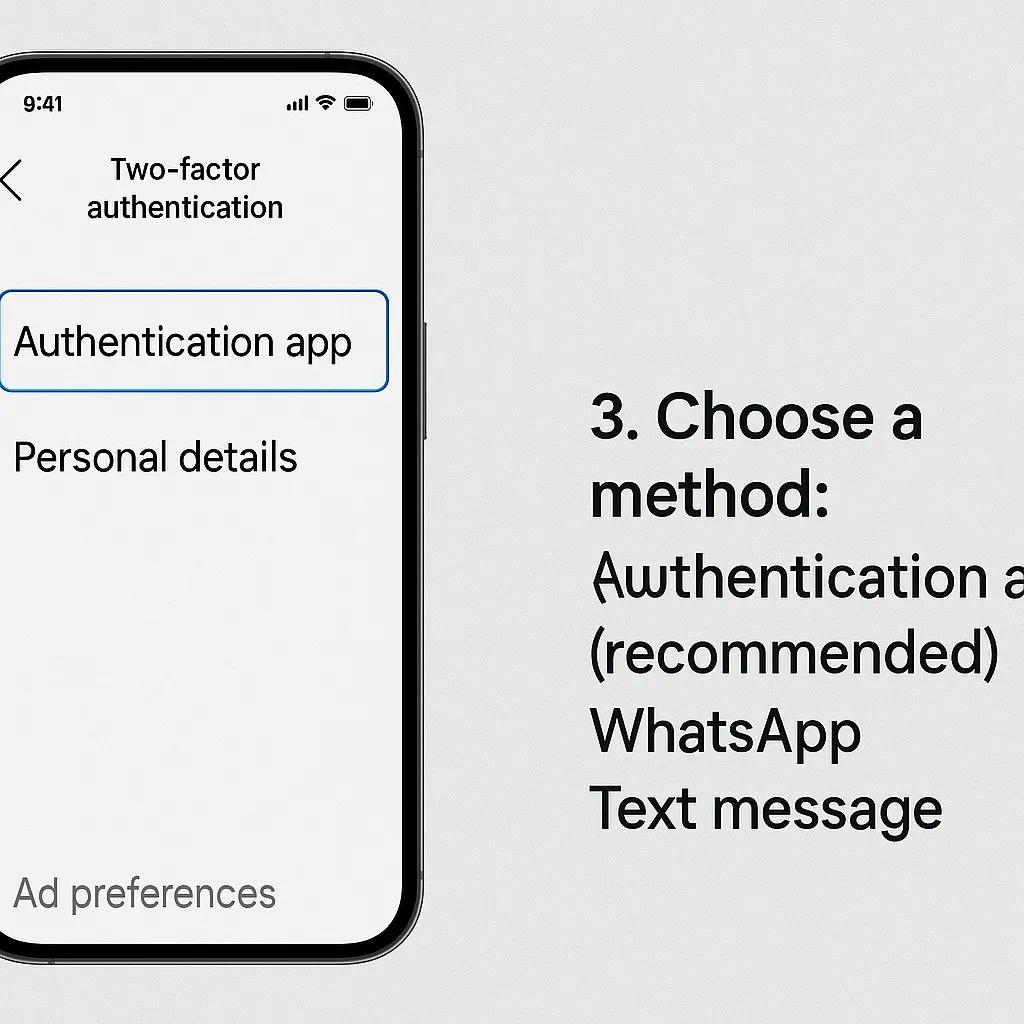
Choose a method:
- Authentication app (recommended)
- WhatsApp or Text message
-
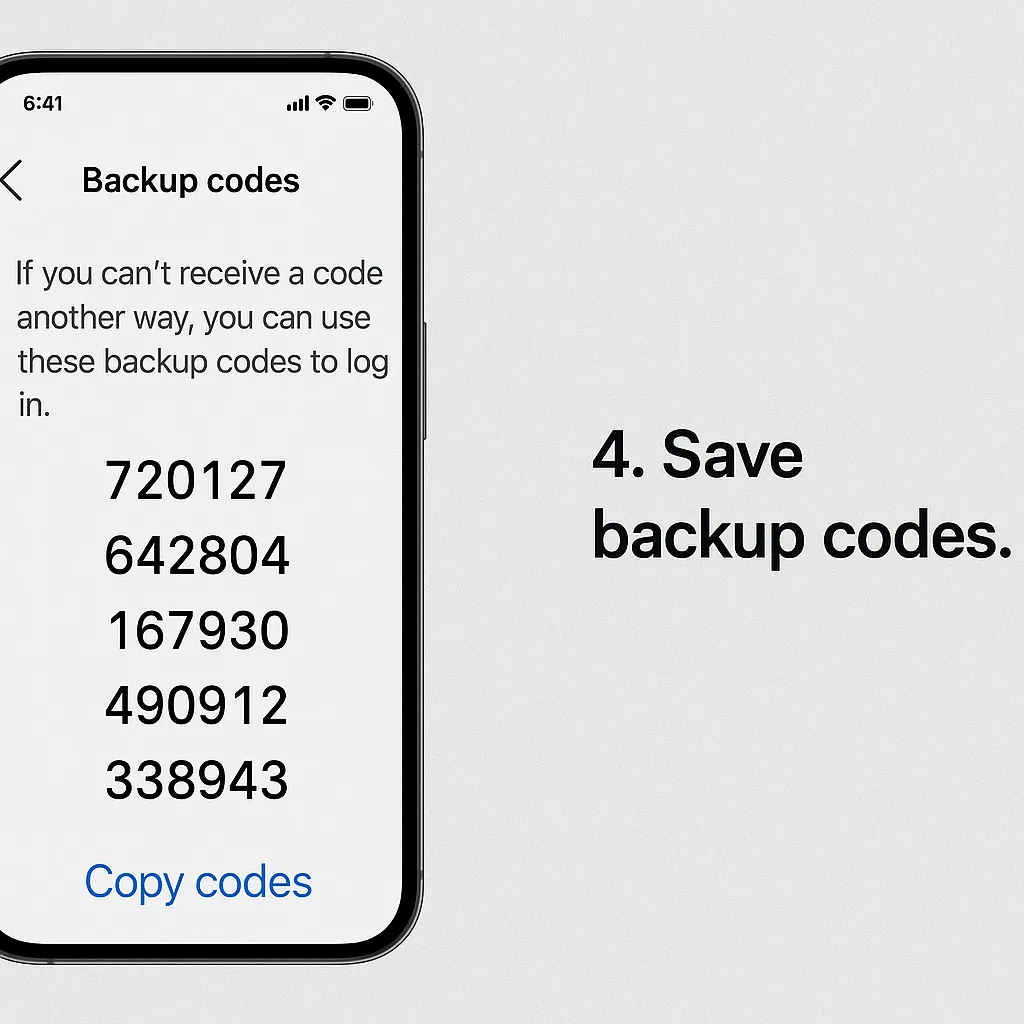
Save backup codes.
-
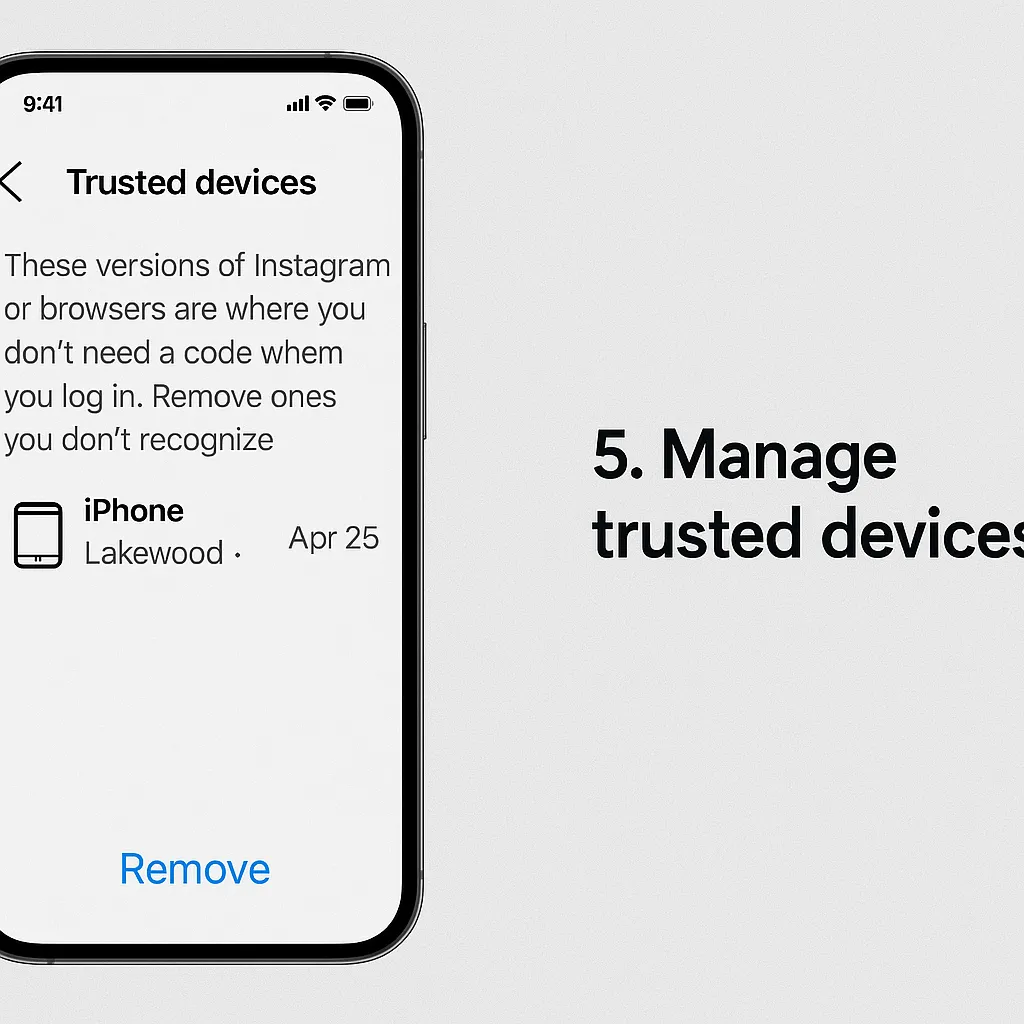
Manage trusted devices.
Facebook: Turn on Two-Factor Authentication (+ Security Keys)
Open (Android, iPhone & Web)
-
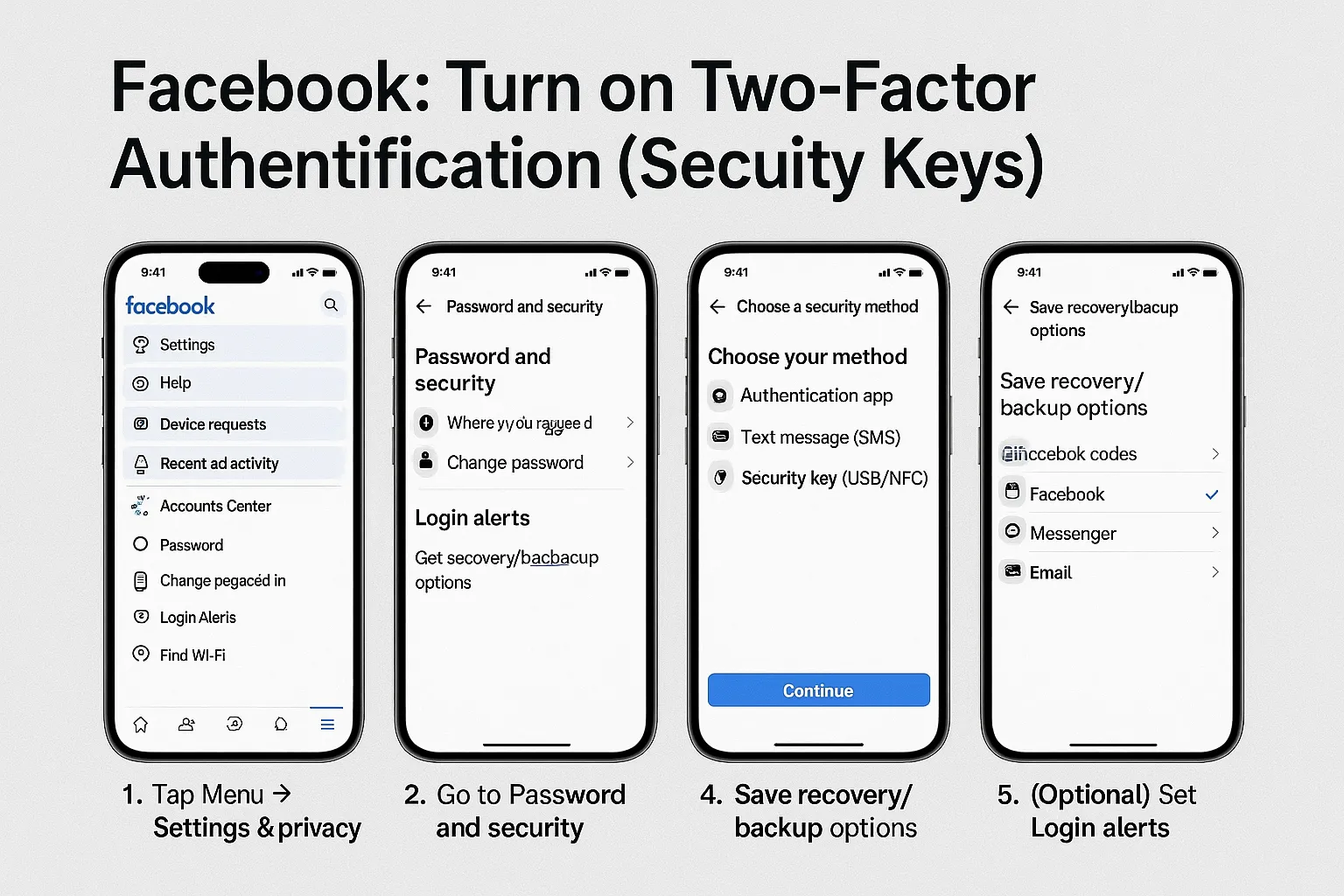
Tap Menu → Settings & privacy → Settings → Accounts Center.
-
Go to Password and security → Two-factor authentication.
-
Choose your method:
- Authentication app
- Text message (SMS)
- Security key (USB/NFC)
-
Save recovery/backup options.
-
(Optional) Set Login alerts.
Best Practices (All Three)
- Prefer an authenticator app to SMS.
- Store backup codes offline.
- Never share verification codes with anyone.
Recovery & Troubleshooting
- Try alternate methods (authenticator, SMS, security key).
- Check Login alerts and recovery options.
- Use backup codes or trusted devices.
- Keep email/phone access updated.
- Reset your PIN with the recovery email.
- If no email was set, wait for the cooldown period.
Image Checklist
- WhatsApp: 5 slots (Settings → Account → PIN → Email → Manage)
- Instagram: 5 slots (Accounts Center → Security → Method → Backup → Devices)
- Facebook: 5 slots (Accounts Center → Security → Method → Backup → Alerts)